EZ Surf 99 TM – Promo Details, Registration Steps & Usage Guide
Sometimes you need the internet when you are in the middle of your zoom class and your home wifi stops working. You need to finish your important tasks urgently. At this moment you require a fast internet in a LTE promo for your TM SIM but you are confused which will be suitable for your zoom meeting with low-budget.
The EZ Surf 99 TM promo can be your best choice because it gives you fast data at minimum budget. In this guide you will get the promo details with Easy steps of activation. Here we will give you a straightforward guide so you can get unlimited data without any confusion.
Before going to register the promo first Rregister Your TM SIM because your promo will work if you have completed your registration by Globe company.
What Is EZ Surf 99 TM?
EZ Surf 99 also known as Easy Surf99 or EZ 99. It is the most popular TM promo which offers unlimited internet at an affordable price. The promo is valid for 7 days and costs you just ₱99. It is a solo data promo, you can also go for 7 days shareable data promo.
EZ Surf 99 TM Description:
Feature | Details |
Promo Name | EZ Surf 99 TM |
Price | ₱99 |
Data | Depends on current TM offer |
Validity | Usually 3–7 days (varies) |
Network | TM / Globe Network |
SIM Type | TM Prepaid only |
How to Register EZ Surf 99 in TM (Complete Steps)
The registration process is very simple, you can register it through various methods including: SMS to 8080, USSD code and GlobeOne app.
Before registering for this promo, it’s important to check whether a number is Globe or TM to avoid extra charges.
Register through GlobeOne App:
Steps:
- Open your mobile and download the GlobeOne app from the official site.
- Then install it in your smartphone and open it.
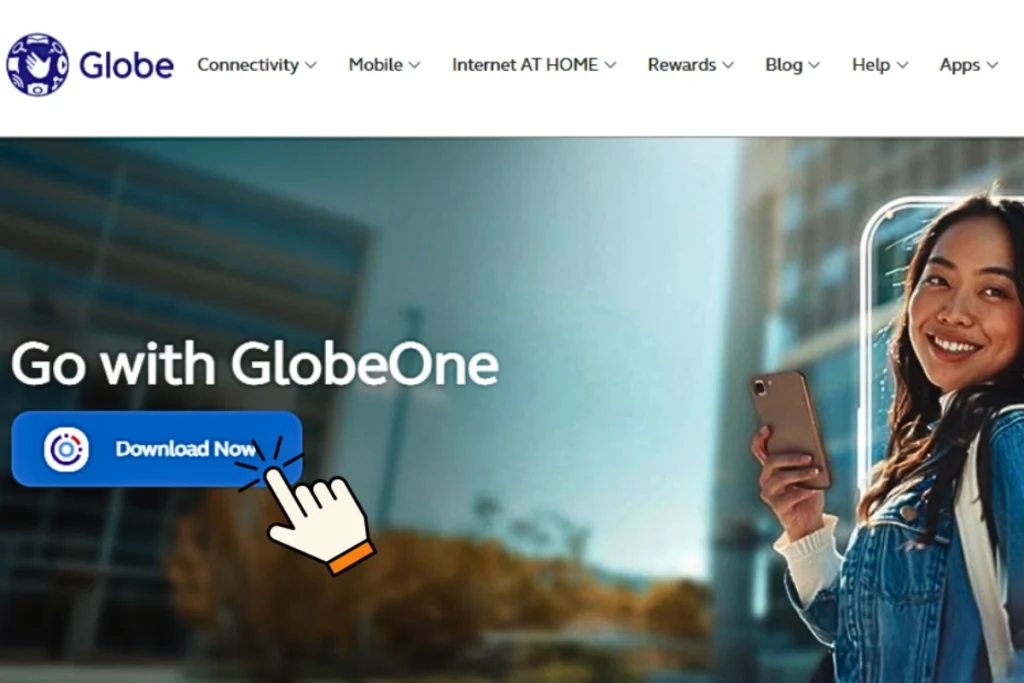
- Now, from the GlobeOne dashboard click on the Promos.
Then tap on the Easy Surf promos
From the easy surf promo list select your EasySurf 99. - Now tap on the register button and you will receive notification that you have registered es99 for your TM SIM for 7 days.
Register through USSD *143# Code
Steps:
- From the dialer of your smartphone, dial *143#.
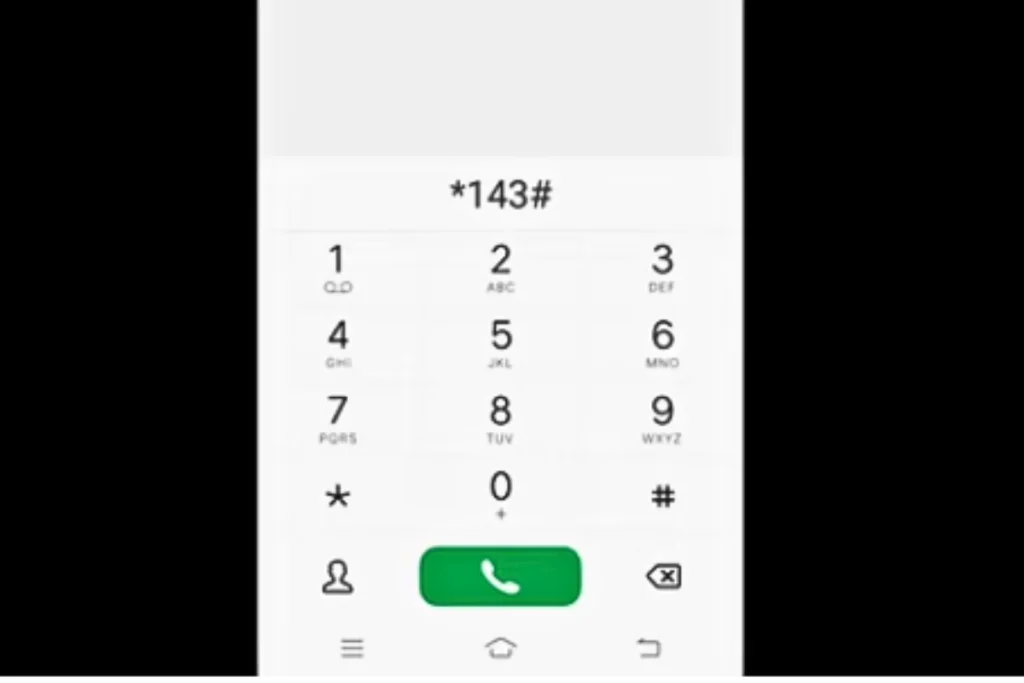
- Now from the menu select the number for Easy Surf promo and type the number like “3” as shown in picture below.
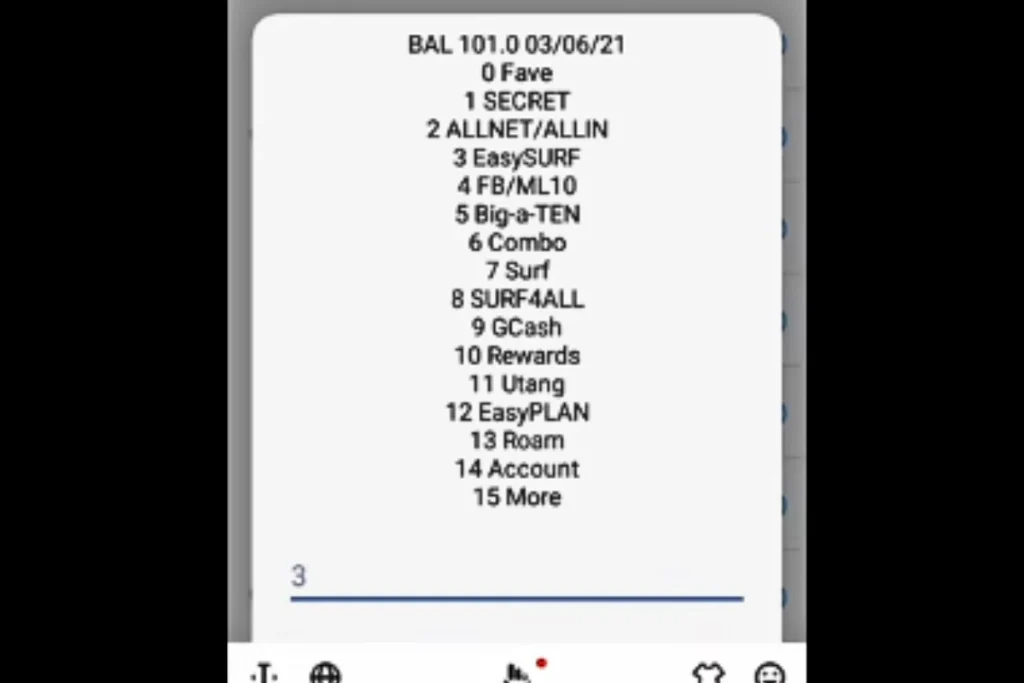
- Then select the ‘’EZ99 (16GB).
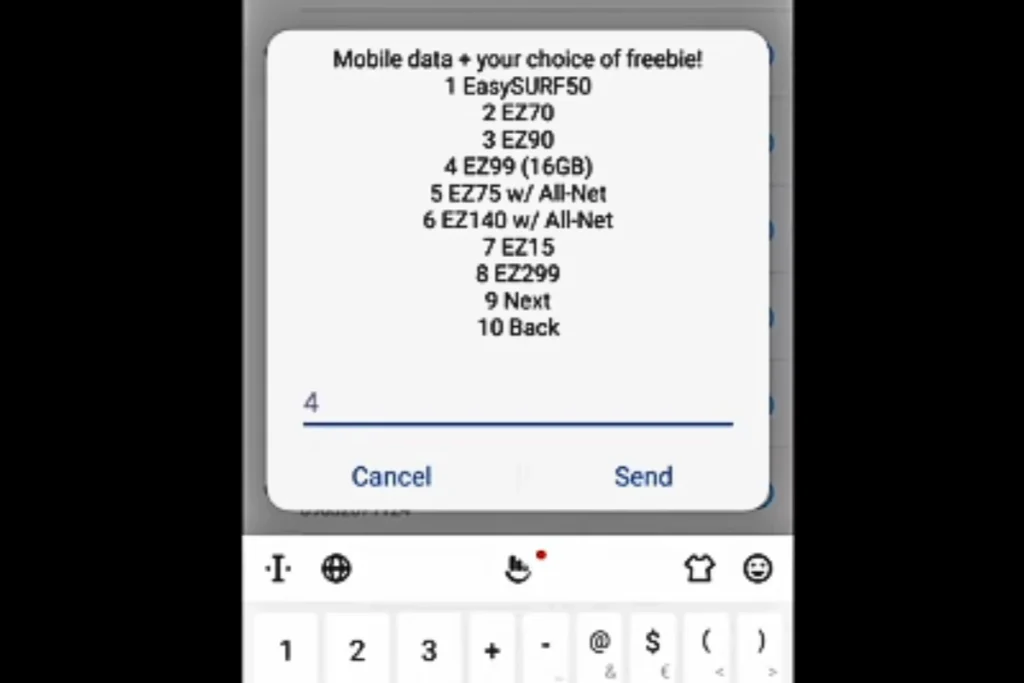
- Now select the extra daily GB for apps as shown in the picture. It is totally your choice which bundle you prefer.
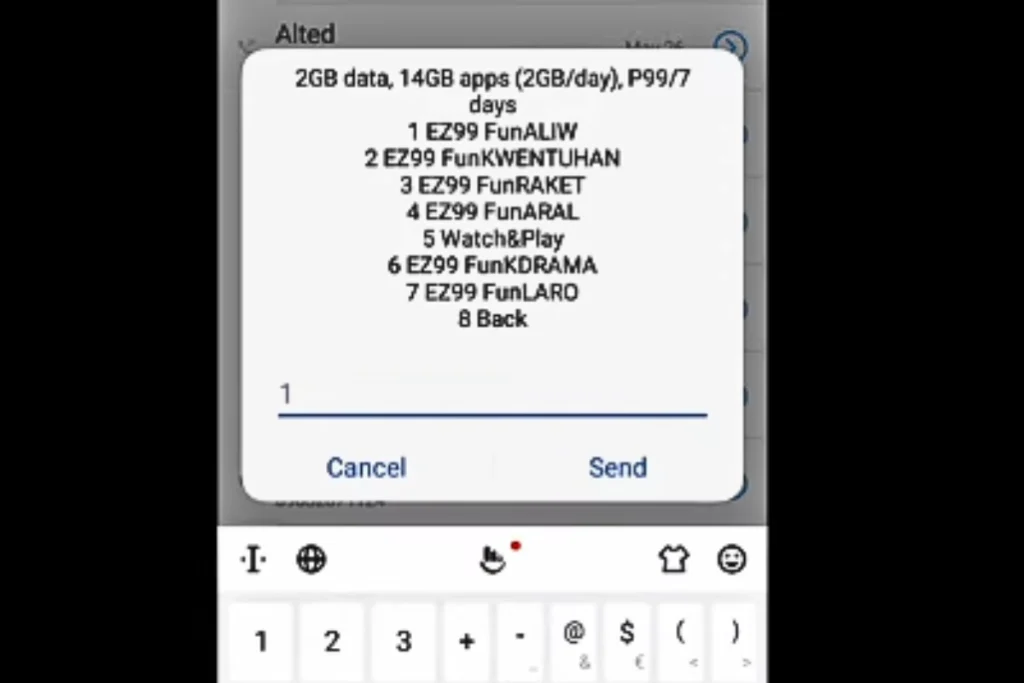
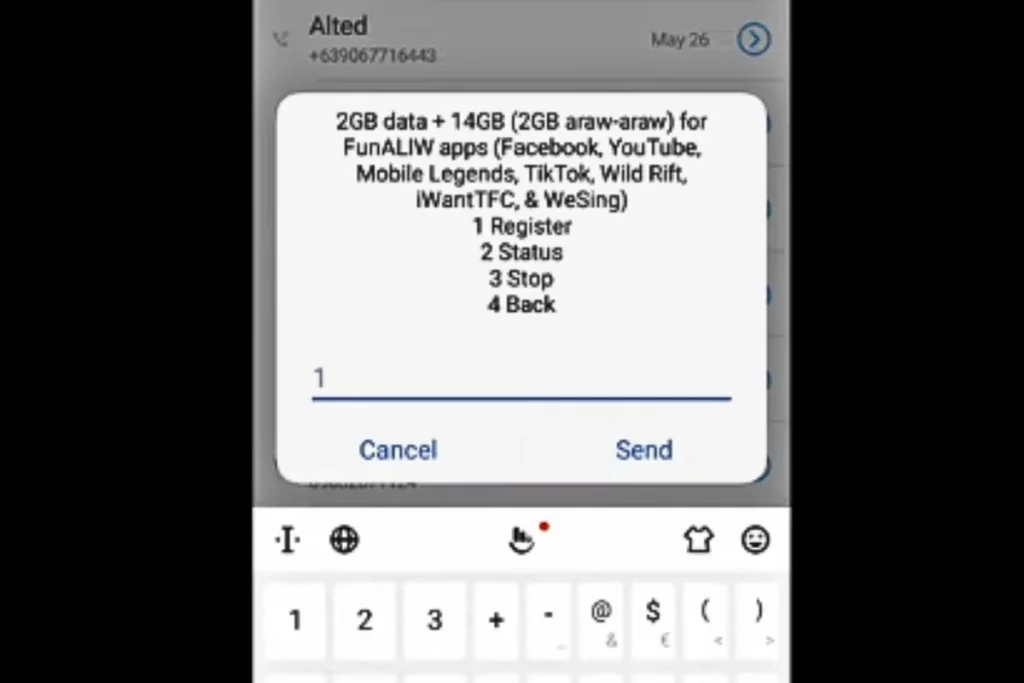
Then register it.
After completing the steps a notification will appear on your screen. Click “OK”.
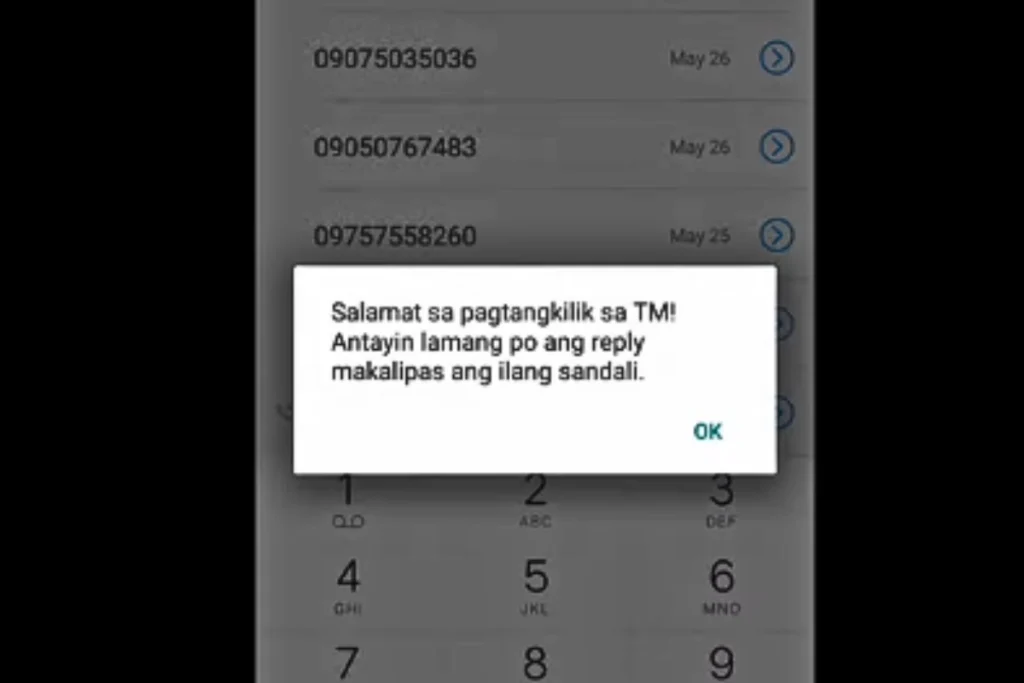
Now you will receive a message from 8080 that you have successfully subscribed the ez99 promo.
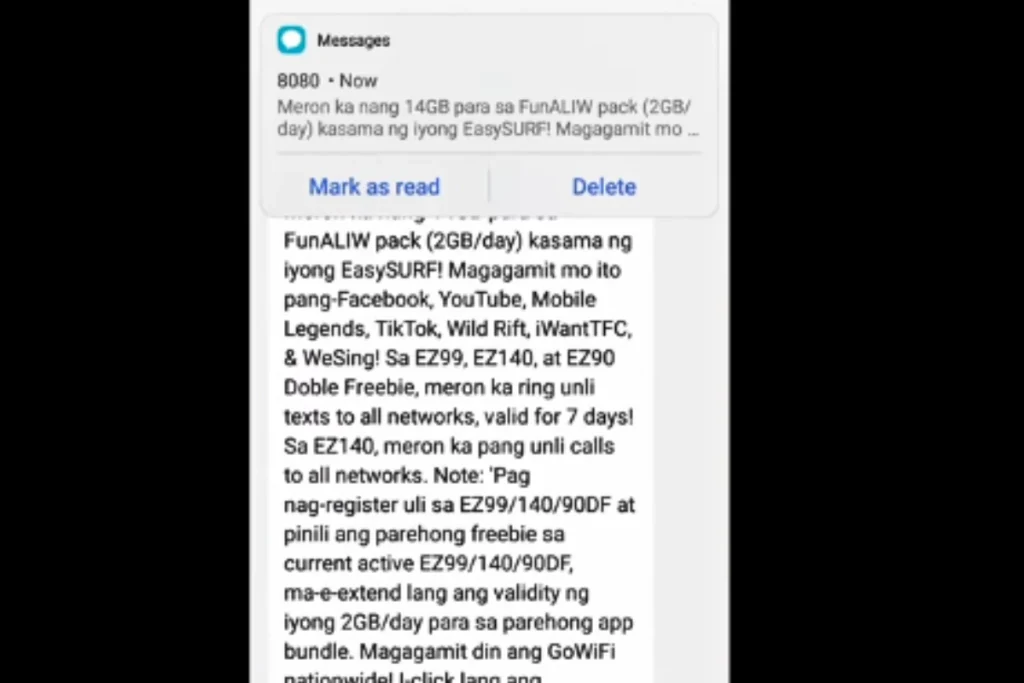
Register EZ Surf 99 via SMS
- Open Messages app on your phone.
- Type the keyword for “EZ Surf 99” or “EasySurf 99” in the text box.
- Then send it to 8080.
- Now see the confirmation message, sent by 8080 on your TM number.
Note: SMS keywords can be changed due to location and your account, so try *143# because it is the safest option.
How to Check EZ Surf 99 Balance & Status
Method | Step-by-Step Actions | What You See |
*Via 143# Menu | 1. Dial *143# on your phone 2. Select My Account / Check Balance | Remaining data and promo validity |
Via GlobeOne App | 1. Open the GlobeOne App 2. Log in using your TM number | Active promo details and data balance shown on the home screen |
How to Check EZ Surf 99 Balance & Status
Promo Name | Price | Data Allocation | Freebie / App Data | Validity | Registration Code (Send to 8080) |
₱50 | 1 GB | 1 GB/day for App Bundle + Unli All-Net Texts | 3 Days | EASYSURF50 | |
₱70 | 1 GB | 1 GB/day for App Bundle + Unli All-Net Texts | 7 Days | EASYSURF70 | |
EasySURF 90 | ₱90 | 2 GB | 1 GB/day for App Bundle + Unli All-Net Texts | 7 Days | EASYSURF90 |
EasySURF 99 | ₱99 | 3 GB | 2 GB/day for App Bundle + Unli All-Net Texts | 7 Days | EASYSURF99 |
₱20 | 300 MB | 150 MB/day for FB, YT, ML + Unli All-Net Calls/Texts | 2 Days | AN20 | |
₱150 | 1 GB | 30 GB (2 GB/day) for FB, IG, ML, YT, TikTok + Unli All-Net Calls/Texts | 15 Days | GlobeOne / GCash Only | |
Surf4All 99 | ₱99 | 9 GB | Shareable Data (No specific App freebie) | 7 Days | SURF4ALL99 |
How to Unsubscribe the EZ Surf 99 TM?
The TM Ez Surf 99 expires automatically after 7 days, so you don’t need to stop or cancel it manually. But if you still want to unsubscribe the offer before its expiry date then you must follow the steps given below:
Cancel Via SMS
Steps:
- First unlock your mobile screen and open the messages app.
- Now type the keyword in the text box “Easy Surf 99 STOP” or “EZ Surf 99 STOP”.
- And send it to 8080.
- After that, you will receive a reply from 8080 that you have successfully unsubscribed your promo. Now you can avail the other TM internet promos for you.
GlobeOne app Method
Instead of texting 8080, you can also cancel it manually by the official GlobeOne App.
Steps:
- Open globeOne app.
- Then, click on the active ez 99 promo
- Then, tap on unsubscribe. Just like shown in the picture.
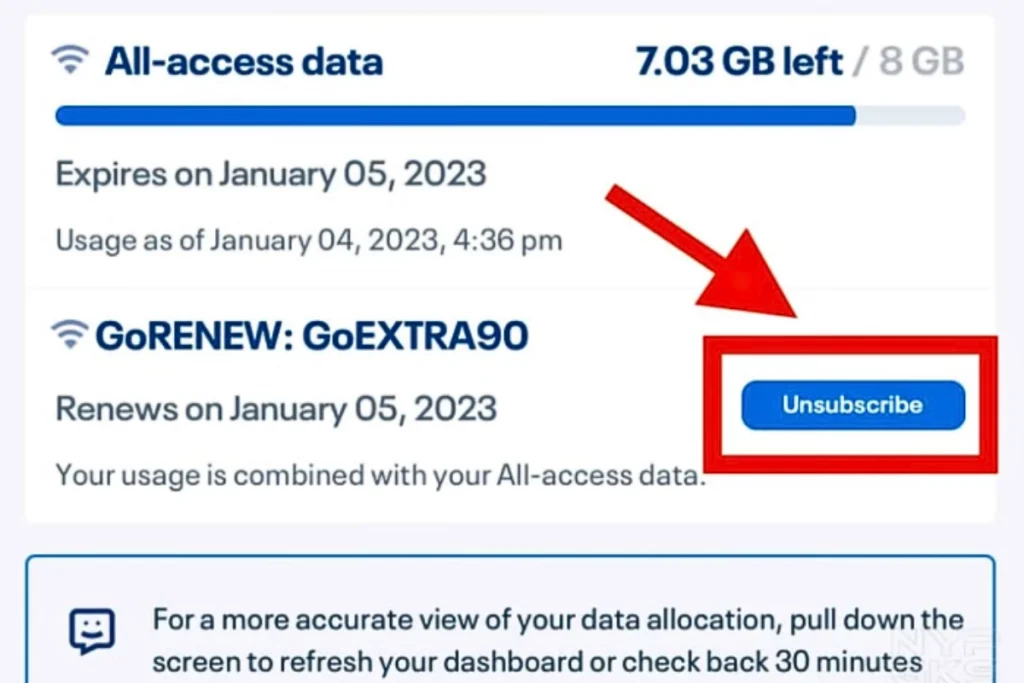
Stop via USSD Code
It is a very authentic way to register or cancel any promo.
Steps:
- From you mobile’s dialer, dial *143#.
- Now you can see a menu will appear in front of you on the mobile screen. Select the promo which you have currently active.
- Then select the option “Stop”. After confirmation you will be notified that your promo has been canceled.
Common Issues & Quick Fixes
Issue | Solution |
Promo not activating | |
No confirmation SMS | Restart phone |
Data not working | Turn airplane mode ON/OFF |
Wrong promo registered | Contact TM support |
Frequently Asked Questions (FAQs)
Can Globe SIM users use EZ Surf 99?
No, EZ Surf 99 is designed just for the TM prepaid SIMs.
Can I subscribe to EZ Surf 99 again?
Yes, You can register again after your current promo ends.
Are calls and texts included in EZ Surf 99?
No, the promo is for internet data, for calls and texts you can choose other easy surf promos.
How long does EZ Surf 99 last?
Its validity depends on the current TM offer, so it may change.
Can I share EZ Surf 99 data using hotspot?
Yes, You can use hotspots but it gives you internet service in limited places.
What should I do if my data finishes early?
You can register another promo anytime.
Is EZ Surf 99 okay for online classes?
Yes. It is good for light to medium use, like browsing and simply online classes.
Can I extend my EZ Surf 99 promo?
Promo extensions depend on TM’s available options.